





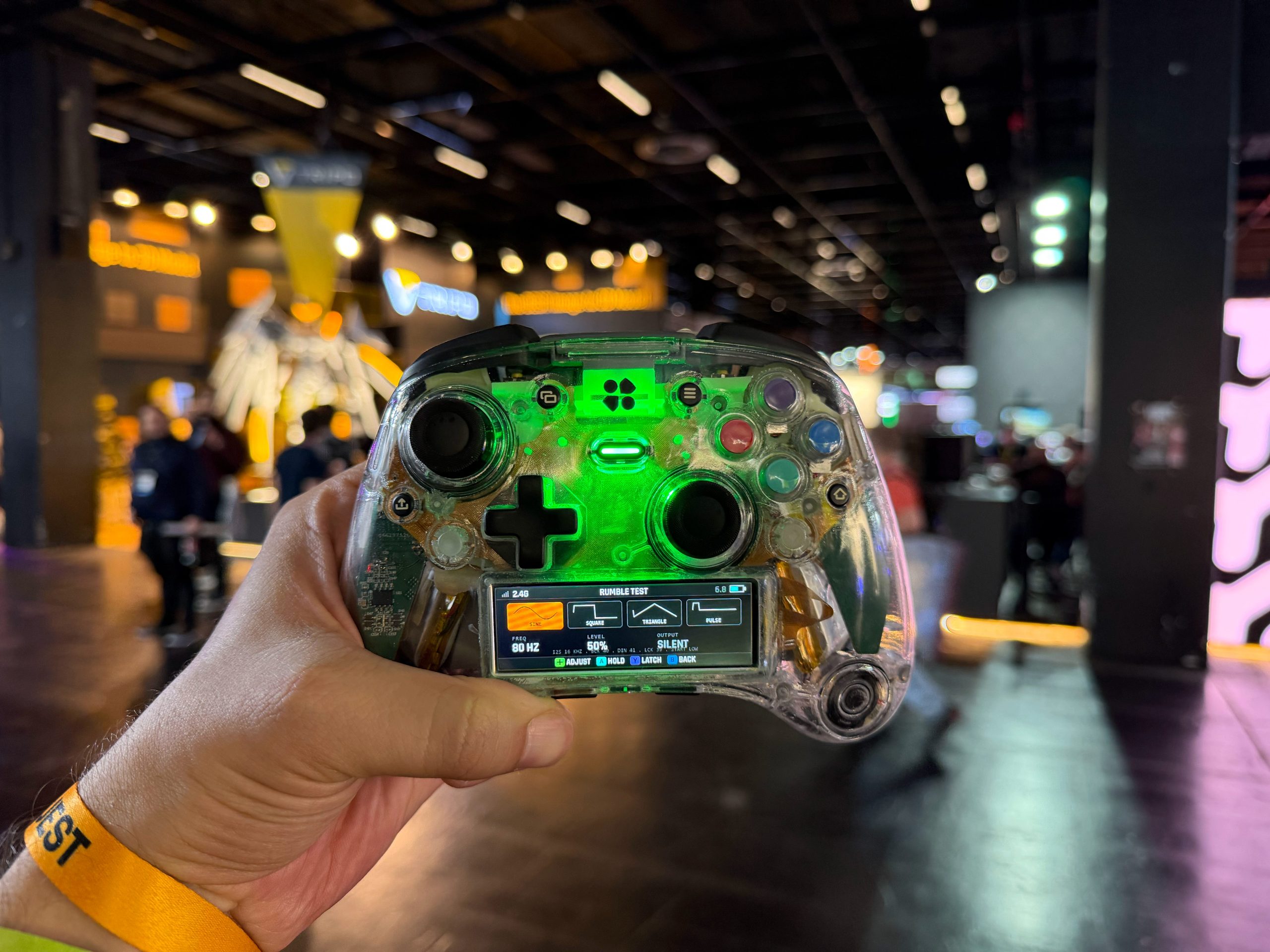


Our journey at this year’s Gamescom wasn’t strictly reserved for games. We also had the chance to check out some new hardware and accessories for PC and consoles. One of our stops on the controller front was GenkiThings, a company that made its name with stellar Nintendo Switch accessories. We were actually supposed to do a detailed review of their gear last year, but unfortunately, our local customs office held the package hostage. However, they couldn’t stop us from walking onto the Gamescom floor to test their latest invention, a controller that, and I say this with full confidence, changes the rules of the game in every conceivable way. It’s the Genki Manta, currently available to back on Kickstarter and hitting their official storefront soon.

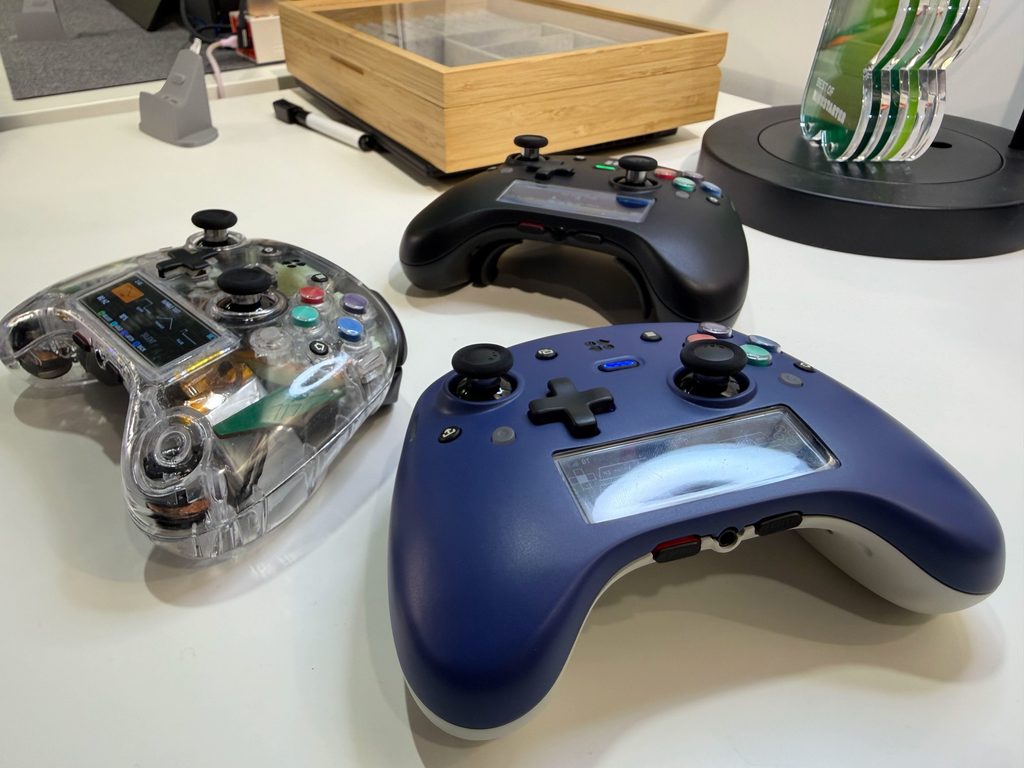
When I met with the folks from Genki, I had to be brutally honest and tell them I am simply not a fan of third-party controllers. Not a single one I’ve owned in the past has held up, so I exclusively stick to official hardware. Since Xbox is my primary console, my weapon of choice has always been the Xbox Elite Series 1 (I don’t even like the Series 2). Because of that, the exact same controller (just in a different color) has been my daily driver on PC as well. Honestly, nothing else I’ve tried has ever felt right. I even went so far as to buy an adapter for the Nintendo Switch 2 just so I could play it using my Xbox controller (sacrificing gyro controls since it isn’t supported). The ergonomics and the feel of that controller have simply been unmatched for me. I did get a chance to try the new Pro Controller for the Nintendo Switch 2, and sadly, it feels like an expensive toy that can’t be repaired if, God forbid, something breaks.
Because of all this, I went into this meeting with a massive dose of skepticism. I just didn’t believe a third-party company could rival the “original.” But then, after talking to them for over half an hour with the controller constantly in my hands, I had to admit that I misjudged them entirely. And I mean massively. The Genki Manta might just be one of the best, if not the best, controllers I have ever held. Everything I assumed about it before testing it went right out the window, thanks to both the conversation with the team and how the hardware actually felt in my hands.
Since I am a console gamer 99% of the time, controller ergonomics and comfort are paramount. And since I can safely say I have large hands, finding a controller that fits is tough. That’s exactly why I stuck with Xbox, it’s slightly bulkier than PlayStation controllers, and the asymmetrical stick layout suits me better. But when I grabbed the Genki Manta, it simply melted into my hands. My very first reaction was, “Man, how is this so comfortable?” Best of all, it wasn’t nearly as heavy as I expected it to be. And I have to note: I wasn’t holding the final retail product, but rather a few prototypes they brought to the Gamescom booth for testing.
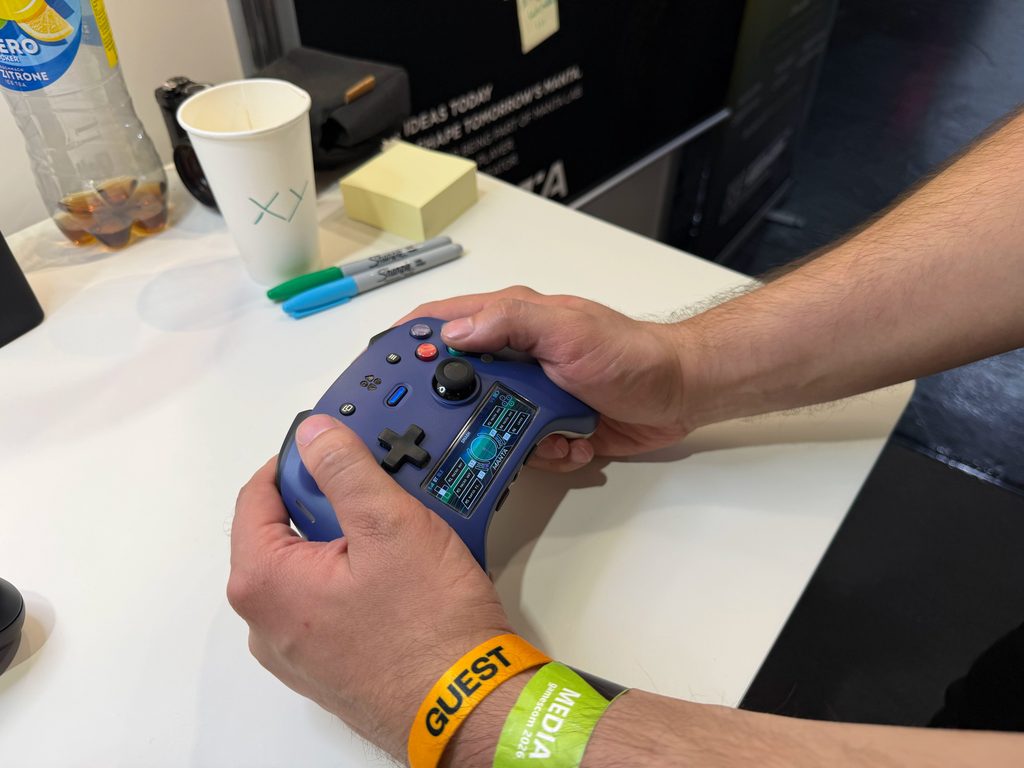
Looking back and realizing I was holding a prototype, I still can’t quite believe it. You know how it is: when you grip a controller and squeeze it, almost all of them, if not all of them, start to squeak. You feel the plastic shifting somewhere. Simply put, no controller is robust enough to have absolutely zero flex. The Genki Manta does not have that problem. The moment I wrapped my big hands around it, the first thing I did was squeeze it as hard as I could, and it didn’t let out a single squeak. A highly impressive first impression. From there, I just wanted to feel every curve, every button, every trigger. I wasn’t even playing a game on it, the booth was specifically set up just to let you feel the ergonomics and navigate the UI, as these were early units.
While the team at GenkiThings was explaining what the controller hid under the hood and the secrets behind its flawless functionality, I spaced out for a moment, just thinking, “God, this feels so good. This could absolutely become my daily driver for every console it supports.” But, of course, I had to snap back to reality, listen to their pitch, and ask a few questions so they could explain exactly what they did with this piece of hardware and why it beats the competition.
Instead of making just another “Pro” controller with a few extra back paddles and a steeper price tag, Genki shoved a proprietary screen, an operating system, and a staggering amount of customization right into the Manta. It feels less like a controller and more like a tiny computer that happens to have analog sticks. The first thing you notice is, obviously, the screen. The Manta features a built-in 2.79-inch color display (428 × 142 resolution) nestled just below the main inputs. At first glance, I expected it to be one of those gimmicks that looks great in promo photos but only gets in the way during actual use. But, as I’ve said multiple times now, assumptions are a very bad thing when it comes to this product. The screen isn’t just there to display a glowing logo while the controller sits on your desk. It runs MantaOS, a proprietary operating system that is arguably the most fascinating part of the entire package. Instead of forcing you to install a PC app or pull out your smartphone for every minor tweak, the Manta lets you change profiles, remap buttons, adjust stick and trigger deadzones, tweak haptic feedback intensity, run diagnostics, and manage settings directly from the controller itself. Don’t tell me this isn’t a massive advantage. How many times have you been annoyed having to pause and completely exit a game just to change a button layout or remap your back paddles? Even on Xbox, you have to dashboard, open the Xbox Accessories app, find what you want to change, apply it, and by the time you tab back into your online match, you’ve likely been disconnected for inactivity. Not to mention how tedious it is to plug third-party controllers into a PC just to reconfigure them so you can use them on your console.
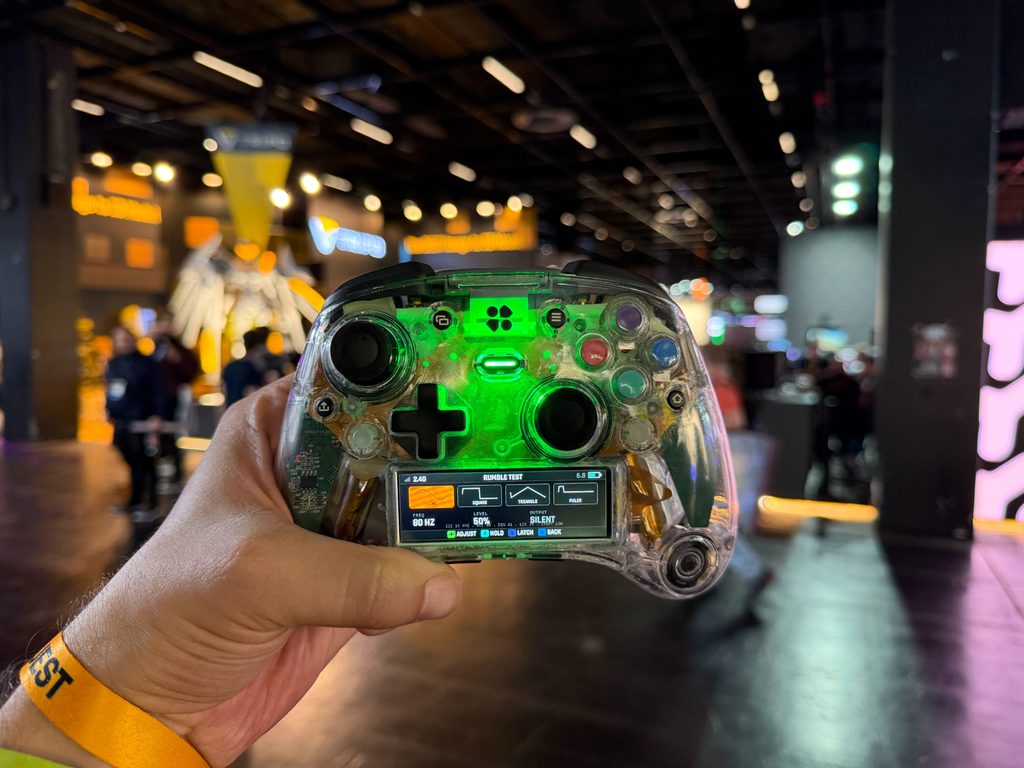
This is where Genki’s genius truly shines. The Manta isn’t just designed as a controller with more features; it’s designed as a device that lets you tweak those features entirely untethered. With most premium controllers, you get a PC app to create profiles and adjust parameters. That’s functional, but the Manta bakes that entire concept directly into the hardware. For instance, you can create different profiles for different genres, one setup for stick and trigger behavior in FPS games, and a completely different calibration for racing games. You can swap between those profiles directly on the screen. The idea is simple, but once you try it, it’s easy to see why so many hands-on impressions have praised it. It’s brilliant, and it gives the screen a completely justified, highly practical purpose.
Genki went even further with the analog inputs. The face buttons aren’t your standard digital switches that only register a press once they hit a predefined bottom-out point. The Manta allows you to adjust the actuation depth. This means you can set a button to trigger extremely early upon a light tap, or only when fully depressed. For some genres, this might not matter much, but in games where you’re constantly repeating inputs or need lightning-fast reaction times, it can be a game-changer. It’s a similar story with the triggers. The Manta utilizes a tri-stage trigger system. You can run them as classic, full-pull analog triggers, flip them to a short-throw digital click for rapid firing, or use a third hybrid mode that attempts to find a middle ground. This is incredibly useful if you use the same controller across vastly different genres. In a racing game, you want precise analog throttle control, while in a shooter, you want the trigger to snap instantly.
The analog sticks are also TMR, meaning they use magnetic sensors instead of classic potentiometers (no more stick drift). Genki even allows you to adjust their physical tension, letting you dictate exactly how much resistance you feel when pushing the stick. For me, this changes everything. No other controller has the exact resistance I’m used to, and it’s always a jarring adjustment when I switch between consoles. While this might sound like unnecessary complexity to some, once you try a few different tension settings, you quickly realize that different players genuinely prefer entirely different thumbstick feels.
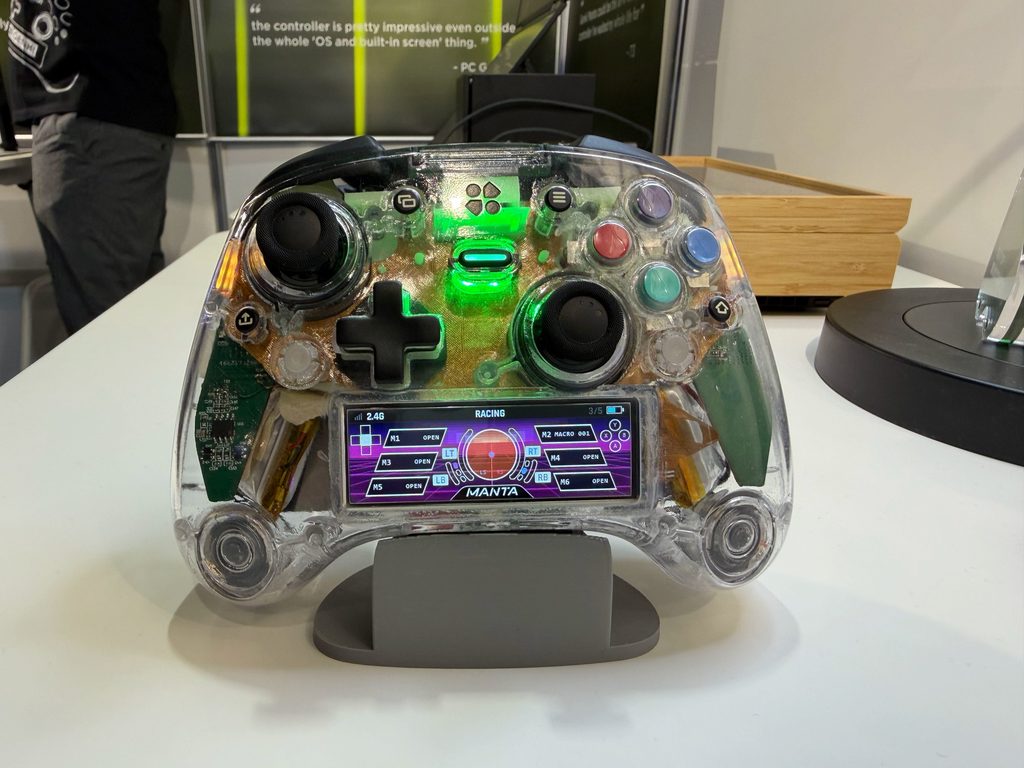
The Manta also features six additional programmable inputs. Two are extra shoulder bumpers, two are rear buttons, and there are two detachable back paddles you can use depending on your grip preference. The D-Pad is also swappable. In other words, Genki didn’t just glue a bunch of buttons onto a shell and say, “Here you go.” The philosophy is to let you decide which buttons you actually need and where you want them. This is wildly beneficial in games requiring complex command combinations. Instead of taking your thumb off the right stick to press a face button, you can map that action to a back paddle. That makes sense for competitive games, but even in single-player titles, having the freedom to completely tailor the layout to your liking is a luxury.
Another feature that completely blew my mind is the On-the-Fly KBM Mode. With a single press, the Manta switches into a mode that emulates a keyboard and mouse. This means the controller isn’t strictly limited to gaming. You can use it to navigate Windows, move the cursor, type, launch programs, or manage media playback. Genki is basically pitching the Manta as the only device you need when sitting on the couch in front of your PC. Just think about it: a giant like ASUS still hasn’t properly implemented this on their PC handhelds, yet Genki is doing it on a standalone controller, a company with a fraction of the budget and valuation. For PC gamers hooked up to a living room TV, this is infinitely more useful than it sounds. One of the most infuriating parts of couch PC gaming is when a game launcher demands an input, asks you to log in, or requires a mouse click. If the Manta can handle that without forcing you to reach for a wireless keyboard, it becomes an incredibly practical tool.
Genki also included something called the Action Timeline, a system for recording and editing macros directly on the device. Instead of building a macro in clunky PC software, you can record a string of commands, edit the timeline, and bind it to a programmable button. This feature will mostly appeal to power users, while the average gamer will likely ignore it. Though, realistically, is the “average” gamer the target demographic for a controller like this?
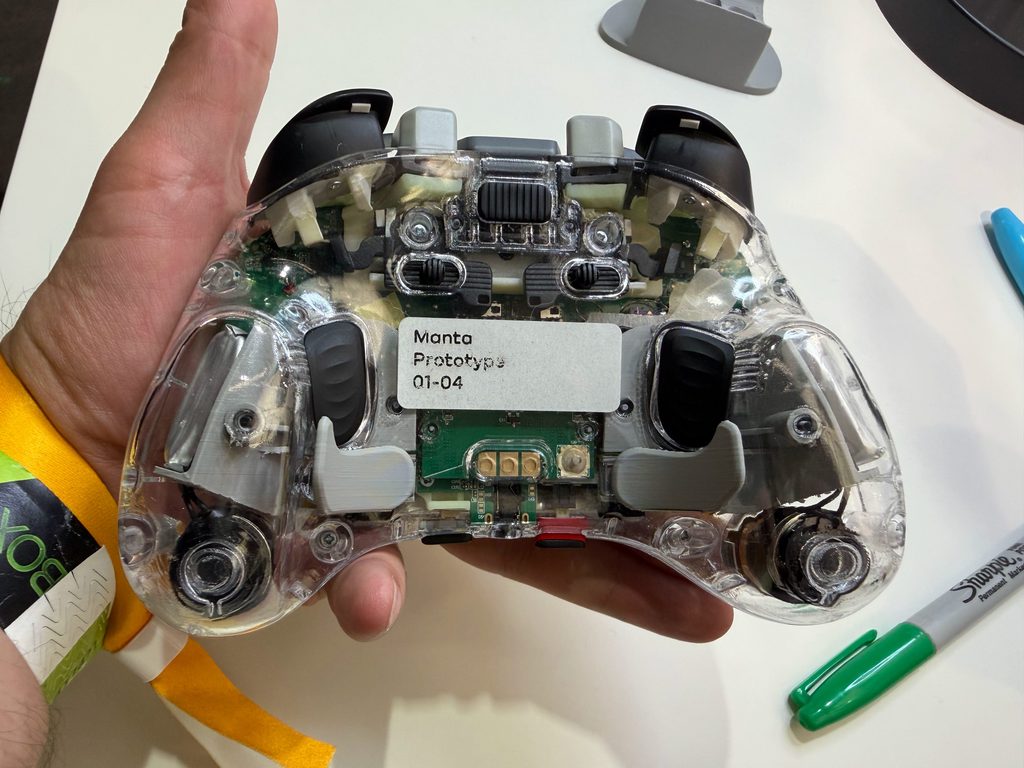
Haptics is another area where Genki is trying to stand out. The Manta uses magnetic motors in the grip, dubbed Maglev haptics, designed to provide a much wider spectrum of feedback than classic rumble weights. Instead of a generic “bzzzz” when something happens on screen, the goal is to convey finer textures and distinct types of impact, functioning similarly to HD Rumble on the Switch 2. Naturally, this is something that can only be properly judged once final firmware and games take full advantage of it. However, I did get to test the vibration at various speeds, and every setting impressed me in its own way. Crank the haptics and the motor to max, and you get a relentless, powerful shake. But honestly, the sweet spot is around 50-60% intensity. At that level, you can simply relax and enjoy perfectly tuned feedback. You feel the nuance of the vibration much better, yet it’s still strong enough to physically connect your hands to whatever is happening on screen.
The Manta also packs a 9-axis motion system (gyroscope, accelerometer, and compass). This opens the door for gyro aiming, camera manipulation, or utilising motion for other inputs. Genki even made it possible to combine certain motion functions with the KBM mode, which could be fantastic for PC players who want the precision of a mouse without actually balancing a keyboard and mouse on their lap.
As for connectivity, the Manta supports USB-C, Bluetooth, and a 2.4 GHz wireless connection via a dongle. Compatibility is impressively broad, supporting PC, Nintendo Switch, Switch 2, and mobile devices. It also features a replaceable 2,600 mAh battery, which is phenomenal news. There is nothing worse than owning an expensive premium controller a few years down the line, only to find the battery can no longer hold a charge for a serious gaming session.
Now, my main fear was: “Okay, this thing runs a custom OS and has a giant screen on it, the battery life has to be terrible.” But when I brought up this “problem,” or rather, my concern, they put my mind at ease. You can adjust the screen brightness however you like, and on the lowest setting, the battery lasts up to 14 hours. They are also adding an option to turn the screen off completely once you’ve finished tweaking your settings. Do that, and the battery life extends noticeably beyond those 14 hours of continuous use. That might not sound like a massive number, but it’s right on par with the Xbox Elite Series 2, and about three times better than the DualSense Edge. And with far more freedom, to boot.
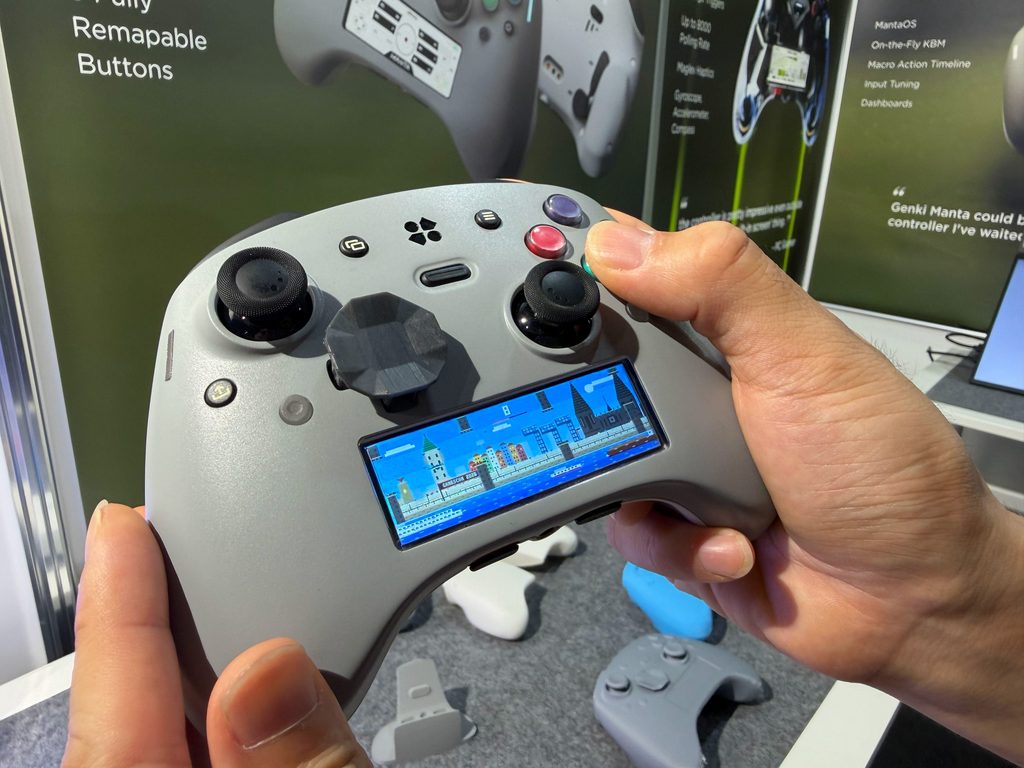
Just a couple more things before I wrap up. You can cast your PC’s hardware stats directly to the controller’s screen: CPU/GPU usage, RAM consumption, and component temperatures. This allows you to remove those immersion-breaking stat overlays from your monitor. And if you happen to be playing a PC game with a mouse and keyboard instead, you can just prop the Manta controller on your desk and use it as a dedicated hardware monitoring display. An incredibly cool feature. But the coolest thing of all? The controller has standalone games built into it! Yes, it’s unbelievable, but that’s how far technology has come. If you’re stuck in a ridiculously long matchmaking queue or waiting out a lengthy loading screen, hey, you’ve got a distraction, try breaking your high score in one of the mini-games running natively on the controller.
This brings us to another vital piece of hardware tucked inside this controller: the Raspberry Pi RP2350 microcontroller. This chip powers MantaOS and all the supplementary features, allowing Genki to treat the controller as a miniature platform rather than a mere peripheral. Notebookcheck even noted that the device is capable of running small games, a charming addition, though hardly the main reason anyone will buy it. Far more important is the potential for MantaOS to expand over time. Genki is already talking about the “Manta Forge” platform, a hub where creators could build apps, games, themes, and other tools for the controller. If the company truly opens the platform and actively supports its software ecosystem, the Manta will only get more interesting as time goes on. Of course, we are wading into “if” territory here; future software promises can’t be judged as finished features today.
Okay, I think that’s plenty of firsthand detail for a first look at this hardware. Keep in mind, all of this was experienced on a prototype; the physical feel and execution are based entirely on the test units available at the show floor. You can only imagine how much more will be packed into this thing, and how much more polished it will be as development progresses. It goes without saying that the Genki Manta impressed me, no, blew me away, when I got my hands on it. The only “flaw” for me right now is that the controller is not currently compatible with Xbox consoles. BUT, just a few hours before my appointment, the Genki booth was visited by representatives from Xbox who, I was told, were highly interested in the product. So, I am crossing my fingers that Xbox compatibility arrives down the line. If it does, this will become the absolutely perfect controller for me. But even as it stands, strictly for Switch, Switch 2, PC, and Mobile (iOS/Android), it is a masterpiece. Go check out their website and look up the Kickstarter page, because this is a controller that could genuinely change the market.


